
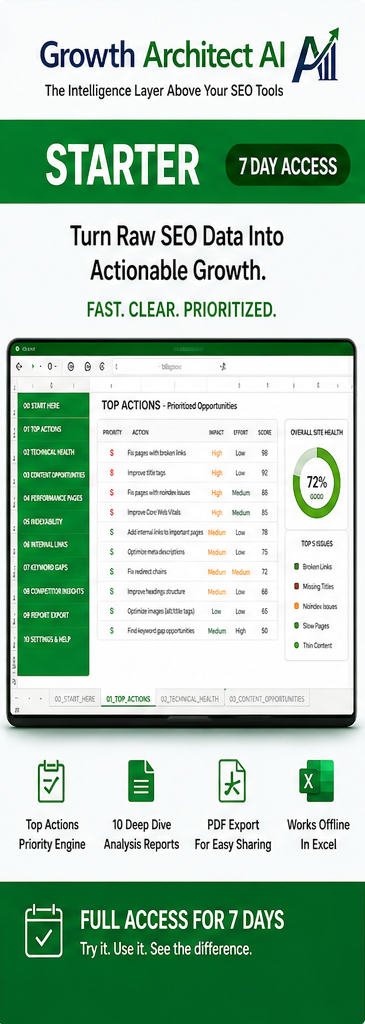
Description
Free SEO Software Starter Edition from Growth Architect AI
Experience the offline SEO intelligence workflow.
That’s exactly what Starter does.
Starter gives you the complete Growth Architect AI intelligence engine for 7 days.
The difference is simply scale.
Deep-Dive capacity
5 URLs per Deep Dive
There are 10 automated Deep Dives, giving you up to:
5 × 10 = 50 URL-level Deep-Dive analyses for one website.
Starter includes 1 simultaneous user/device licence.
Finished testing one website?
Test another.
Analyse unlimited websites during your 7-day Starter period.
Same engine. Smaller sample. Free experience.
Features
- View up to 5 issues and 5 opportunities in the Top Actions overview report summary
- View 10 automated Deep Dives — with up to 5 URLs per Deep Dive, per website
- Prioritised SEO actions from your own data
- Technical SEO, search visibility, traffic and revenue insights
- Designed to reduce the time spent moving between SEO tools, exports, and spreadsheets
- Works fully offline on your computer
License
- 7-day licensed access
- 1x License key for 1 user / 1 computer
- Your URL limit is NOT a monthly quota. It applies to each website you analyse
- Analyse unlimited websites during your active licence
System Requirements
- Windows PC with Microsoft Excel
- Macros enabled
- Works fully offline after activation
Your SEO data stays on your machine. Growth Architect AI analyses your imported GSC, GA4 and Screaming Frog data locally on your computer. Your SEO analysis data is not uploaded for processing.
Licence activation is separate. Internet access may be required to activate and register your licence. Once activated, the analysis runs locally.
What You Receive
- Complete Checkout & Download
- Instant download (same file for all editions)
- Your personal license key
- Quick start instructions
- Your CSV converter
Important: All license keys in this package activate at the same time on first use and expire together after 7 or 30 days, depending on the plan. License keys are for simultaneous users and cannot be used one after another.
Want to see what getting started involves?
See how to install Growth Architect AI →


